01
A timeline you already know
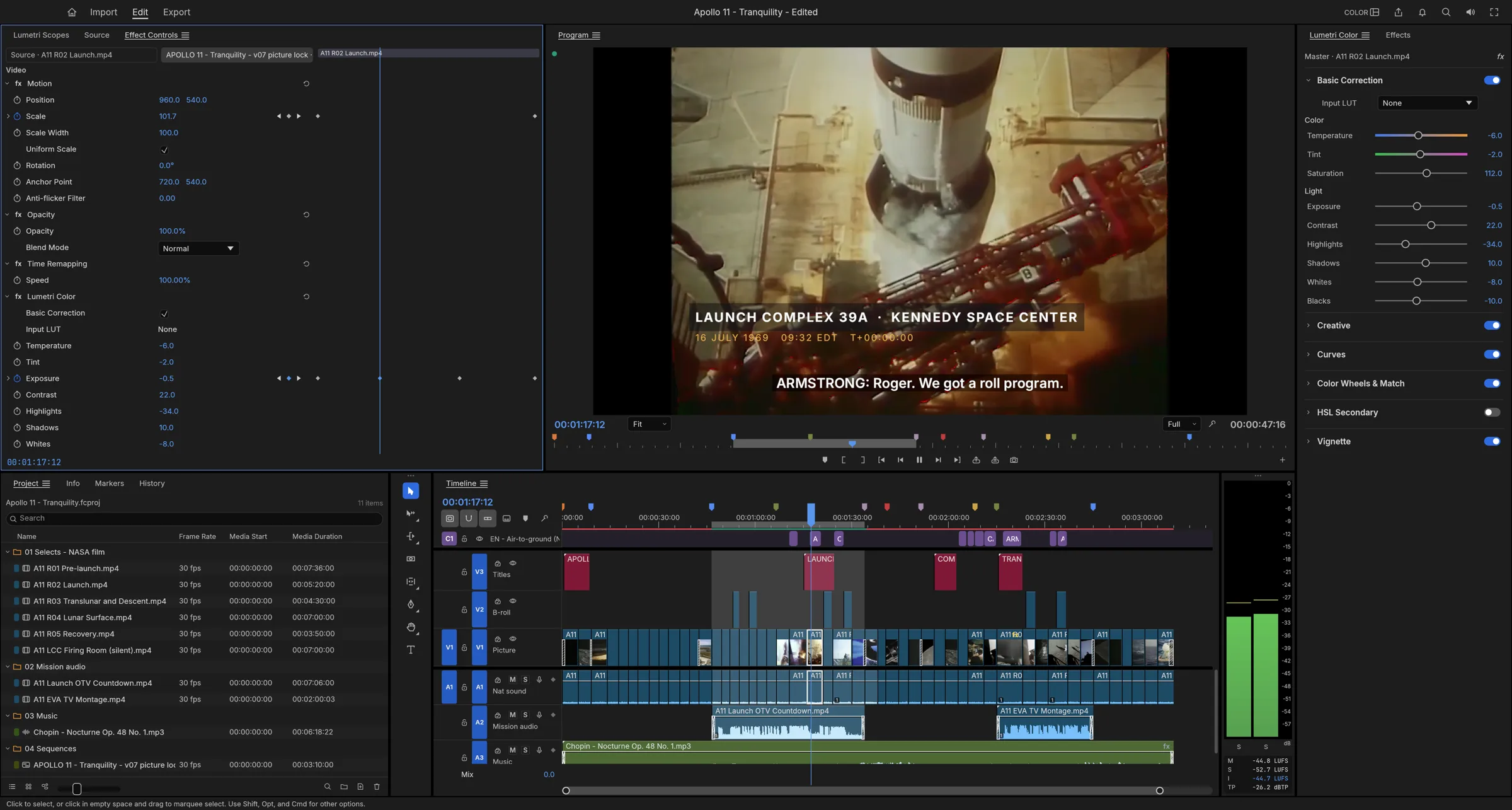
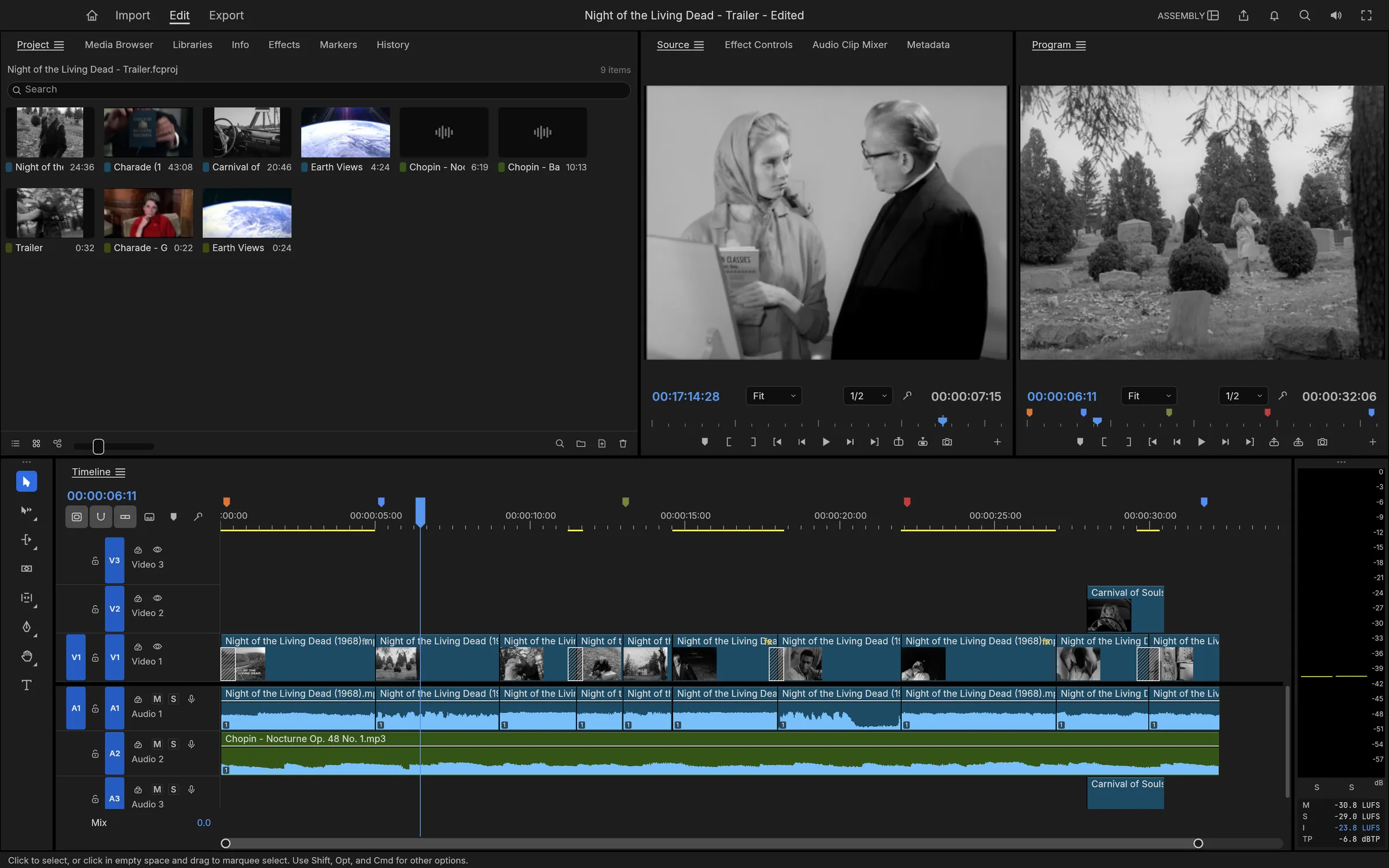
Source and Program monitors, bins with thumbnails, a multi-track timeline with patch and target buttons — the Editing, Assembly, Color, Effects and Audio workspaces, docked however you like.
01 / FilmCraftVideo editor · Early alpha
 01 FilmCraft
A multi-track timeline, every trim, color grading with scopes, audio mixing, titles and captions — a video editor written entirely in Rust and compiled to WebAssembly. It opens ProRes, HEVC and H.264 footage, needs no account, never uploads your media, and works offline. Open the FilmCraft editor — free and open source.
Runs in your browser — free and open source
02 / Highlights
01
Source and Program monitors, bins with thumbnails, a multi-track timeline with patch and target buttons — the Editing, Assembly, Color, Effects and Audio workspaces, docked however you like.
02
Ripple, roll, slip, slide, rate stretch and razor; dynamic trimming while playback runs; JKL shuttle with every edit committed as one undo step.
03
H.264, HEVC, ProRes, VP9, AV1 and DNxHD are our own Rust code, implemented from the public specs and tested frame by frame — bit-exact where the standard allows.
04
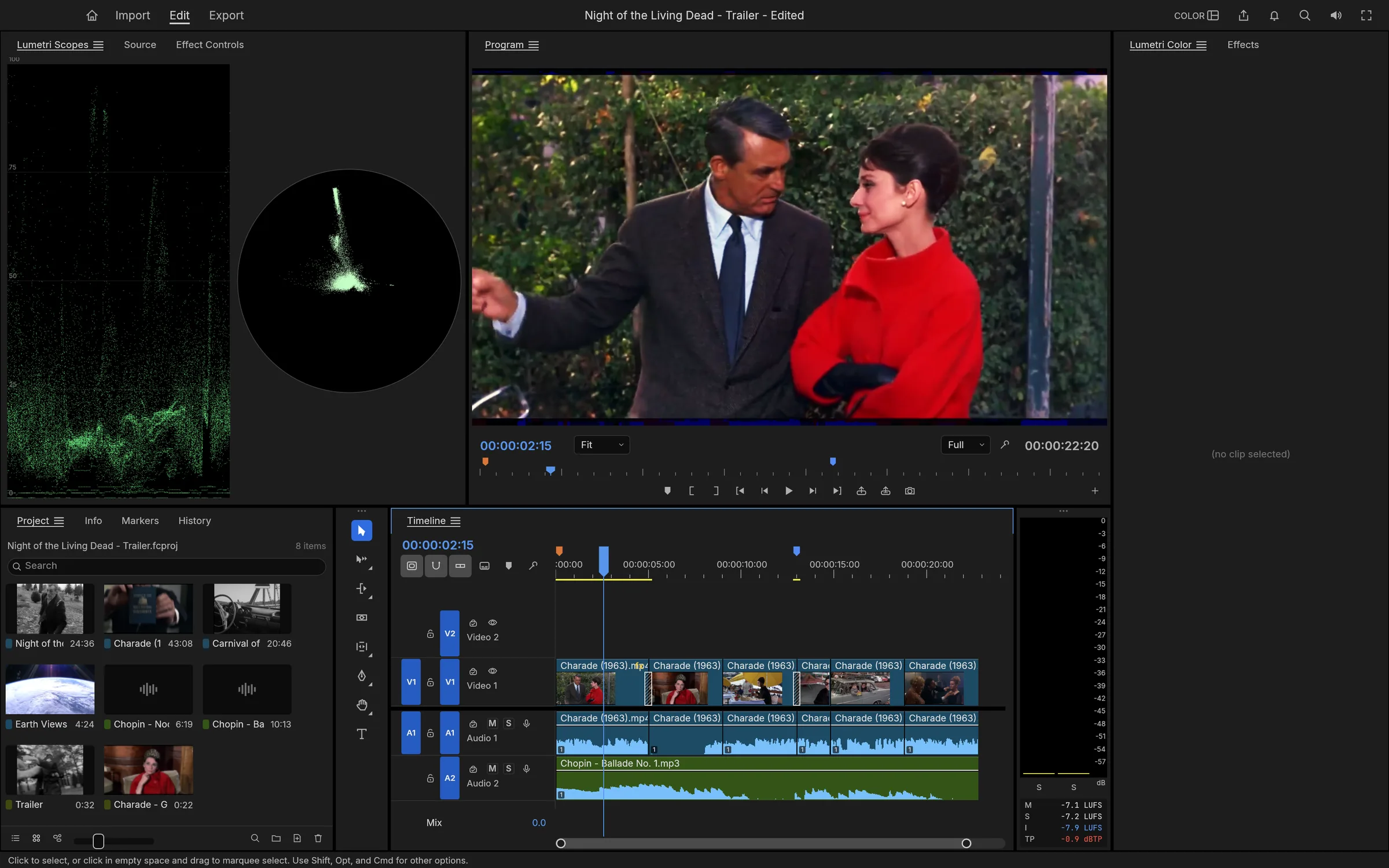
A Lumetri-style grading panel with basic correction, curves and scopes — waveform and vectorscope live beside the Program monitor.
05
Audio mixing with loudness meters, keyframed levels, ducked music beds and WebAudio output in the browser.
06
Every action is a command on a JSON control protocol; drive edits from scripts, the CLI, or let an agent cut for you.
03 / Made for
01
Open clips, mark In and Out, insert and overwrite onto the timeline, trim with every tool a Premiere editor expects — then export H.264 without installing anything.
02
Basic correction, curves and looks beside a live waveform and vectorscope, computed on your device.
03
Import ProRes, DNxHD and MXF footage, cut it, and write ProRes back out — decoders and encoders written in Rust, not wrapped binaries.
04
Atomic saves, a rolling auto-save set, and a crash-recovery journal written about a second after each edit.
04 / Screenshots
05 / Get FilmCraft
The full engine, compiled to WebAssembly — no download, no installer, no account. It boots like a web page and edits like a native app.
Launch the editorInstall it as an app from your browser and FilmCraft keeps working without a connection — the shell, the engine and your last auto-saved project are cached on your device.
Footage opens from and saves back to your device, and projects auto-save in your browser’s private storage. Nothing is uploaded — there is no server to upload to.
06 / FAQ
Yes. FilmCraft is free and open source under MIT OR Apache-2.0. The web app needs no account and has no paid tiers — the same engine also ships as native desktop builds.
H.264, HEVC, Apple ProRes, VP9, AV1, DNxHD/DNxHR, MPEG-2, MJPEG, MP4, MOV, Matroska/WebM, MXF, transport streams and stills — all decoded by FilmCraft’s own Rust code, implemented from the public specifications.
Yes. Install FilmCraft as an app from your browser and the shell, the engine and your auto-saved project come back without a connection; a crash-recovery journal keeps unsaved changes too.
No. The editor runs in the tab; media opens from your device and projects auto-save to your browser’s private storage. There is no server to upload to.
Modern Chromium-based browsers, Firefox and WebKit (Safari). Decoding and playback use the engine’s own Rust codecs with WebCodecs where available.
It is a clean-room take on the Premiere workflow — behaviour and look studied, no proprietary code — written from public specifications and observation, the same way the rest of the Craft apps are built.
07 / The family
FilmCraft is one of a family of open crafting tools.
Early alpha — issues, footage and edge cases all welcome.
Contribute on GitHub